-17%

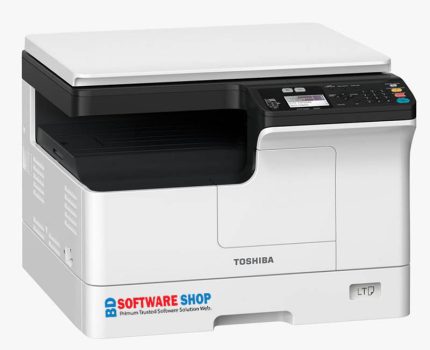
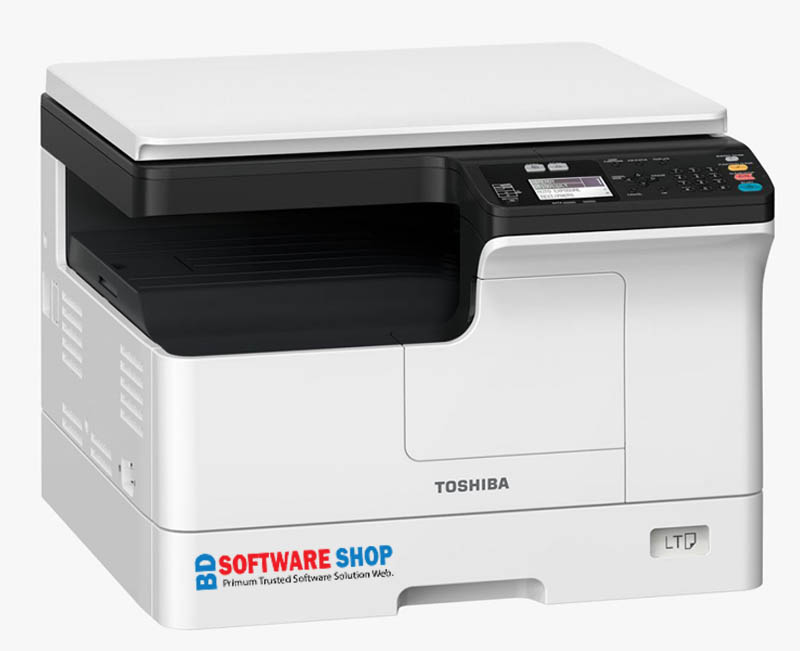
Toshiba e-STUDIO 2803a Driver Download

  • এই ড্রাইভারটি ব্যবহার করে আপনি কম্পিউটার থেকে সরাসরি প্রিন্ট দিতে পারবেন।
  • সহজেই পুরো স্ক্যানার দিয়ে হাই-কোয়ালিটির কালার স্ক্যানিং করতে পারবেন।
  • অফিস, বাসা অথবা যেকোনো দোকানের কাজে এটি একটি নির্ভরযোগ্য ড্রাইভার সলিউশন।
  • দ্রুত ইন্সটল হয় এবং ১০০% পরীক্ষিত এই ড্রাইভারটি সম্পূর্ণরূপে কার্যকর।
  • ইন্সটলেশনের সময় কোনো সমস্যা হলে চিন্তার কিছু নেই।
  • হোয়াটসঅ্যাপ বা কলের মাধ্যমে সহজেই আমাদের টেক সাপোর্ট পেয়ে যাবেন।

Original price was: ৳ 180.00.Current price is: ৳ 150.00.

01861624848

সফ্টওয়্যার সমস্যায় কল বা WhatsApp করুন

Descriptions

Toshiba e-STUDIO 2803A Printer & Scanner Driver

Experience smooth, high-resolution printing and professional-grade color scanning with the official Toshiba e-STUDIO 2803A Driver. This powerful and fully compatible driver enables direct printing from your computer and high-quality color scanning using software like Photoshop. Designed for office, home, and commercial use, it ensures faster performance, stable connectivity, and a seamless workflow.

TOSHIBA e STUDIO 2803A Scanner & Printer Driver

The Toshiba e-STUDIO 2803A Printer and Scanner Driver is a reliable software solution crafted to deliver flawless print output and crisp color scanning. With this driver installed, you can easily print documents, photos, invoices, and office files directly from your PC. It also supports high-quality color scanning that works perfectly with editing tools such as Photoshop, allowing you to scan images with accurate color reproduction.

Optimized for Windows 7, 8, 10, and 11, this driver ensures fast installation, enhanced compatibility, and stable day-to-day performance. Whether you are handling office documents, shop printing tasks, or home projects, the Toshiba e-STUDIO 2803A Driver provides smooth, efficient, and professional-quality results.

How to Install Toshiba e-Studio 2303A Driver

  1. Download the driver from the link provided above.

  2. Extract the ZIP file using WinRAR or 7-Zip.

  3. Connect the printer to your computer using the USB cable and turn the printer ON.

  4. Open the Driver Folder and run the Setup.exe file to start the installation.

  5. That’s it! Your computer and Toshiba e-Studio 2303A printer are now ready for printing and scanning.

আপনার প্রশ্ন ? আমাদের উত্তর ✔

পেমেন্টের পর ডাউনলোড কি সাথে সাথে পাবো?

হ্যাঁ, পেমেন্ট সম্পন্ন হওয়ার সাথে সাথেই আপনার জন্য একটি  অটো ডাউনলোড লিংক তৈরি হবে। আপনাকে আর অপেক্ষা করতে হবে না। লিংকে ক্লিক করলেই সরাসরি সফটওয়্যার ডাউনলোড শুরু হবে এবং আপনি সঙ্গে সঙ্গে ব্যবহার করতে পারবেন।

আপনি ইনস্টল করতে সমস্যায় পড়লে চিন্তার কোনো কারণ নেই। আমাদের অভিজ্ঞ সাপোর্ট টিম আপনার পাশে আছে। আমরা ধাপে ধাপে পুরো প্রক্রিয়াটি আপনাকে বুঝিয়ে দেব, প্রয়োজন হলে রিমোট সহায়তা ‍Anydesk or Ultraviewr দিয়ে আপনার কম্পিউটারে সরাসরি সেটআপ করে দেব, যতক্ষণ না সফটওয়্যারটি ঠিকভাবে কাজ করছে।

বেশিরভাগ Windows ভার্সনের সাথে সফটওয়্যারটি সামঞ্জস্যপূর্ণ। সাধারণত Windows 7, 8, 10, 11–সবগুলোতেই ভালোভাবে চলবে। তবে সফটওয়্যারের ধরণ অনুযায়ী কিছু ক্ষেত্রে নির্দিষ্ট সিস্টেম রিকোয়ারমেন্ট থাকতে পারে, যা আমরা আগে থেকেই উল্লেখ করে দেই যাতে আপনি ব্যবহার করতে কোনো সমস্যায় না পড়েন।

হ্যাঁ, নিরাপত্তার বিষয়ে আমরা কঠোরভাবে সচেতন। আমাদের প্রতিটি ফাইল ভাইরাস স্ক্যান করা, ম্যালওয়্যার-মুক্ত, এবং এড-ফ্রি থাকে। ফলে আপনি নিশ্চিন্তে ডাউনলোড করতে পারবেন এবং আপনার কম্পিউটারের কোনো ক্ষতির ঝুঁকি নেই।

সাধারণত পুরো ইনস্টলেশন প্রক্রিয়া খুব দ্রুত সম্পন্ন হয়। সফটওয়্যারের ধরন অনুযায়ী সময় কিছুটা কম-বেশি হতে পারে, তবে সাধারণত ১–৫ মিনিটের মধ্যেই সেটআপ শেষ হয়ে যায়। নতুন ব্যবহারকারীরাও খুব সহজে ইনস্টল করতে পারেন।

যেকোনো সময় কোনো সমস্যা হলে আপনি আমাদের 01861624848 Whatsapp মেসেজ অথবা কল—যেভাবে চান সেভাবে যোগাযোগ করতে পারবেন। আমরা দ্রুত রিপ্লাই দিয়ে আপনার সমস্যার সমাধান করে দেব, যাতে আপনি নিরবচ্ছিন্নভাবে সফটওয়্যার ব্যবহার করতে পারেন।