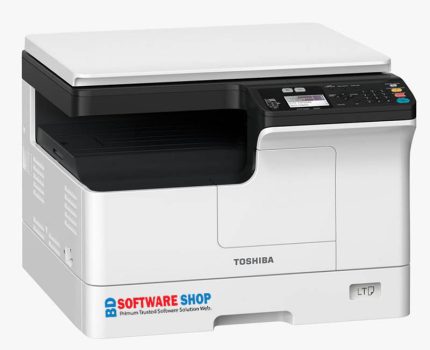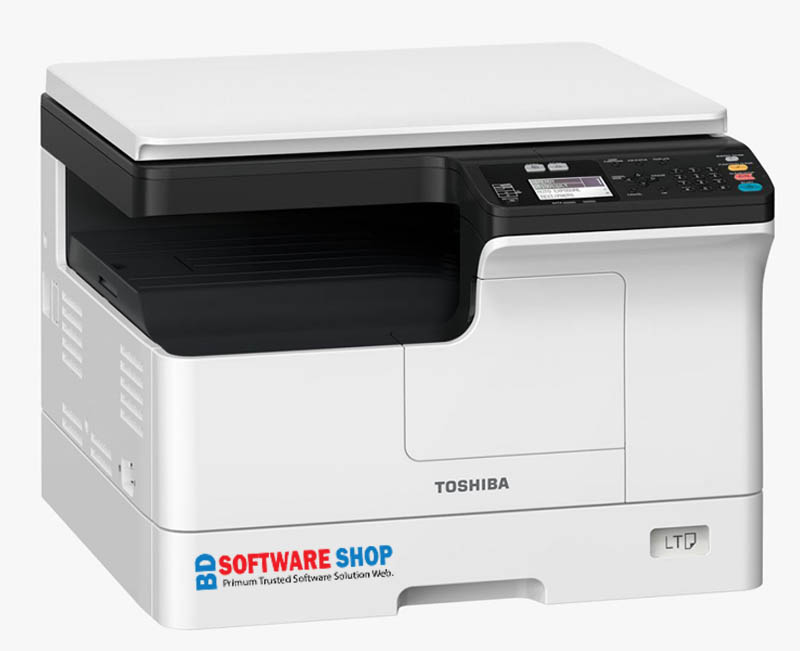
Toshiba e-STUDIO 2323AM Driver Download

  • সরাসরি কম্পিউটার থেকে প্রিন্ট করার সুবিধা।

  • কালার স্ক্যান করার জন্য স্ক্যানার সাপোর্ট।

  • অফিস, বাসা বা দোকানের জন্য নির্ভরযোগ্য এবং সহজে ইনস্টলযোগ্য ড্রাইভার।

  • ১০০% পরীক্ষিত এবং সম্পূর্ণ কার্যকর।

  • ইনস্টলেশনের সময় সমস্যা হলে WhatsApp বা কলের মাধ্যমে তাৎক্ষণিক  সাপোর্ট পাওয়া যাবে।

Original price was: ৳ 160.00.Current price is: ৳ 150.00.

01861624848

সফ্টওয়্যার সমস্যায় কল বা WhatsApp করুন

Descriptions

Toshiba e-STUDIO 2323AM Driver Download – Fast, Easy & Reliable

Looking for the latest Toshiba e-STUDIO 2323AM driver? You’re in the right place! The Toshiba e-STUDIO 2323AM is a high-performance multifunction printer that supports printing, scanning, and copying in one compact machine. To get the best performance, installing the official driver is essential. Here’s everything you need to know to download, install, and use your printer smoothly.


Why You Need Toshiba e-STUDIO 2323AM Driver

Without the proper driver, your printer will not function optimally. Installing the official driver ensures:

  • Direct Printing from your PC – No delays, just plug and play

  • High-Quality Color Scanning – Crisp and accurate scans

  • Smooth Copying – Perfect for documents of any size

  • Windows Compatibility – Works with Windows 7, 8, 10, 11

  • Stable & Error-Free Performance – Tested for reliability


Download Toshiba e-STUDIO 2323AM Driver

Choose the right driver based on your operating system:

  • GDI Printer Driver

  • Scanner (TWAIN) Driver

  • Universal Printer Driver

Make sure to download the version that matches your Windows OS for flawless operation.


Supported Operating Systems

  • Windows 7 (32/64-bit)

  • Windows 8 / 8.1

  • Windows 10

  • Windows 11

  • Windows Server (selected editions)


How to Install Toshiba e-STUDIO 2323AM Driver

Follow these easy steps:

  1. Download the driver from the official link above

  2. Extract the ZIP/EXE file using WinRAR or 7zip

  3. Connect your printer to your PC via USB cable and turn it on

  4. Open the driver folder and run Setup.exe

  5. Complete the installation – now your printer is ready to print, scan, and copy


Key Features of Toshiba e-STUDIO 2323AM Driver

  • High-Quality Printing – Clear and fast prints

  • Fast Scanning – Accurate and sharp scans

  • Easy Installation – Step-by-step guidance included

  • Stable Performance – Low error rate

  • Fully Compatible – Works with latest Windows updates

  • All-in-One Functionality – Print, Scan, Copy seamlessly


Common Problems & Solutions

Printer not detected?

  • Try a different USB port

  • Make sure the printer is turned on

Driver not installing?

  • Check OS compatibility

  • Run Windows Update

  • Restart your PC and try again


Why Choose Toshiba e-STUDIO 2323AM

  • 23 Pages per Minute (PPM) fast printing

  • Perfect for offices, shops, and home use

  • Long-lasting parts & toner efficiency

  • Smooth scanning and copying for all document types

  • Budget-friendly maintenance and operation


Technical Support

Installation issues or questions? Don’t worry. Our 24/7 WhatsApp and Call Support team is ready to assist you instantly.

আপনার প্রশ্ন ? আমাদের উত্তর ✔

পেমেন্টের পর ডাউনলোড কি সাথে সাথে পাবো?

হ্যাঁ, পেমেন্ট সম্পন্ন হওয়ার সাথে সাথেই আপনার জন্য একটি  অটো ডাউনলোড লিংক তৈরি হবে। আপনাকে আর অপেক্ষা করতে হবে না। লিংকে ক্লিক করলেই সরাসরি সফটওয়্যার ডাউনলোড শুরু হবে এবং আপনি সঙ্গে সঙ্গে ব্যবহার করতে পারবেন।

আপনি ইনস্টল করতে সমস্যায় পড়লে চিন্তার কোনো কারণ নেই। আমাদের অভিজ্ঞ সাপোর্ট টিম আপনার পাশে আছে। আমরা ধাপে ধাপে পুরো প্রক্রিয়াটি আপনাকে বুঝিয়ে দেব, প্রয়োজন হলে রিমোট সহায়তা ‍Anydesk or Ultraviewr দিয়ে আপনার কম্পিউটারে সরাসরি সেটআপ করে দেব, যতক্ষণ না সফটওয়্যারটি ঠিকভাবে কাজ করছে।

বেশিরভাগ Windows ভার্সনের সাথে সফটওয়্যারটি সামঞ্জস্যপূর্ণ। সাধারণত Windows 7, 8, 10, 11–সবগুলোতেই ভালোভাবে চলবে। তবে সফটওয়্যারের ধরণ অনুযায়ী কিছু ক্ষেত্রে নির্দিষ্ট সিস্টেম রিকোয়ারমেন্ট থাকতে পারে, যা আমরা আগে থেকেই উল্লেখ করে দেই যাতে আপনি ব্যবহার করতে কোনো সমস্যায় না পড়েন।

হ্যাঁ, নিরাপত্তার বিষয়ে আমরা কঠোরভাবে সচেতন। আমাদের প্রতিটি ফাইল ভাইরাস স্ক্যান করা, ম্যালওয়্যার-মুক্ত, এবং এড-ফ্রি থাকে। ফলে আপনি নিশ্চিন্তে ডাউনলোড করতে পারবেন এবং আপনার কম্পিউটারের কোনো ক্ষতির ঝুঁকি নেই।

সাধারণত পুরো ইনস্টলেশন প্রক্রিয়া খুব দ্রুত সম্পন্ন হয়। সফটওয়্যারের ধরন অনুযায়ী সময় কিছুটা কম-বেশি হতে পারে, তবে সাধারণত ১–৫ মিনিটের মধ্যেই সেটআপ শেষ হয়ে যায়। নতুন ব্যবহারকারীরাও খুব সহজে ইনস্টল করতে পারেন।

যেকোনো সময় কোনো সমস্যা হলে আপনি আমাদের 01861624848 Whatsapp মেসেজ অথবা কল—যেভাবে চান সেভাবে যোগাযোগ করতে পারবেন। আমরা দ্রুত রিপ্লাই দিয়ে আপনার সমস্যার সমাধান করে দেব, যাতে আপনি নিরবচ্ছিন্নভাবে সফটওয়্যার ব্যবহার করতে পারেন।